
Training room rental in Ontario, CA.
Bring your workshop, onboarding session, or seminar into a dedicated learning space at Gateway Executive Suites. A projector, whiteboard, Wi-Fi, and 1-Gig download and upload fiber internet support your materials, while free parking makes arrival easier. Confirm your group size, room setup, and access with our team before reserving.
Build your learning agenda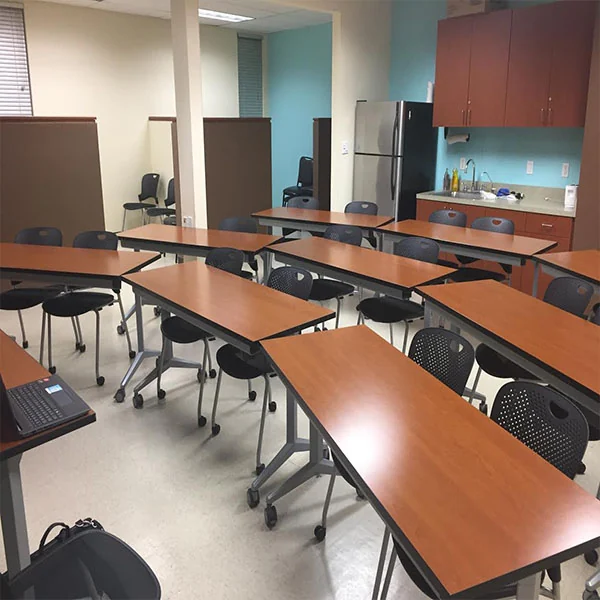 Training space at Gateway
An environment for shared progress.
Start with the topic, participant count, and session format you have in mind. Our team can help you review the room’s existing setup, presentation connections, and access arrangements. Once those details fit your plans, reserve enough time for agreed preparation, teaching, breaks, and cleanup. You bring the learning; we help you confirm the space.
Help ideas take shape
Use the projector to share your presentation and the whiteboard to explain a process or capture questions. Confirm the connections and supplies you need so your teaching materials are ready for the room.
Connect to your resources
Bring online learning materials and shared documents into the session with Wi-Fi and fiber internet. Discuss wired connections or particular technical requirements before planning activities that depend on them.
Welcome the whole group
Free parking and shared facilities make a longer session easier to coordinate. Confirm the total participant count, access route, and entry instructions before sending your invitation.
A new skill.
A shared next step.
Choose a session to explore how the room could support your group, what to prepare, and which details to confirm.
Turn a first day into a shared beginning.
Bring new colleagues together to explore your organization, meet the people behind the work, and ask the questions that help them get started. Use the projector for a clear introduction and the whiteboard to capture questions, responsibilities, or next steps.
Combine short explanations with a realistic task, a process walkthrough, and time to discuss what happens next. Prepare your own slides, welcome materials, and access to any company systems. Confirm the existing seating, total attendance including facilitators, presentation connections, and arrival arrangements before inviting the group.
Before your session. Choose what participants should be able to do by the end. Bring your materials and laptop, allow time to test the projector, and share entry instructions once Gateway has confirmed them.
Give a new skill time to become practical.
Bring a technique, working method, or everyday process into a session where people can try it for themselves. Introduce the idea, demonstrate an example, then make space for individual practice or small-group exercises and a useful debrief.
Start with the activity you want to run and the materials it needs. Review whether the existing room setup provides suitable working surfaces and access for your participants. Small-group exercises do not imply movable furniture, separate breakout rooms, specialist tools, or additional equipment.
Before your session. Bring an example task, instructions, and any agreed materials. Use the planner to compare learning time and possible group sizes, then confirm the actual room and full access window with Gateway.
Help people move from watching to doing.
Walk colleagues or customers through a tool, dashboard, or workflow, then let them practice on their own devices. A shared projected demonstration can keep the group oriented while the whiteboard captures questions and steps to revisit.
Prepare logins, permissions, sample files, and any software installation before the session. Participants bring their own devices unless you arrange otherwise. Confirm power access, connection requirements, projector compatibility, and the space each person needs. Internet access does not guarantee compatibility with every application or organization’s network rules.
Before your session. Test your demonstration on the laptop you will bring. Have a plan for sign-in problems and an offline example where practical; extra devices, software licenses, adapters, and technical support are not automatically provided.
Make a topic clear, memorable, and open for discussion.
Introduce a subject, explain a new development, or share professional knowledge with a group. Build a clear sequence of ideas using your presentation, examples, and whiteboard notes, with time for questions and a short reflection on what participants will take away.
Plan around the audience’s starting knowledge and the points that matter most. Confirm the number attending, sightlines, access arrangements, and any audio needs. Microphones, recording, streaming, guest speakers, certificates, and accredited learning are not included simply by reserving a room.
Before your session. Bring a concise presentation and a way to collect questions. Include arrival, equipment checks, breaks, and cleanup in the time you arrange, then share the confirmed location and entry details with participants.
Turn shared experience into clearer next steps.
Bring a team together to review a process, share lessons from a project, or build confidence in a new way of working. Map the current approach on the whiteboard, work through an example, and agree what needs to happen after the session.
Prepare a focused question and examples that everyone can discuss. Divide the learning time between explanation, trying the process, and reflecting on the results. Choose activities that suit the existing room setup and agree how you will record actions; facilitation, supplies, and follow-up are yours to arrange.
Before your session. Bring a simple agenda, the people who need to contribute, and any materials you will use. Confirm whiteboard supplies and the room’s suitability, then leave time to capture responsibilities before packing away.
Give customers a useful, hands-on introduction.
Introduce customers or business partners to a service, product workflow, or support process in a dedicated learning setting. Use a demonstration to explain the essentials, a guided exercise to explore a common task, and a discussion to clarify the next steps.
Tailor the session to what attendees need to understand and bring suitable demonstration materials. Confirm capacity, the existing arrangement, access, and the equipment your activity needs. If a demonstration involves specialist equipment, unusual materials, or requirements beyond ordinary office use, discuss suitability before booking.
Before your session. Send any preparation instructions in advance and bring your own handouts or files. Check presentation connections, plan for questions, and confirm your complete room time before making final arrangements with customers.
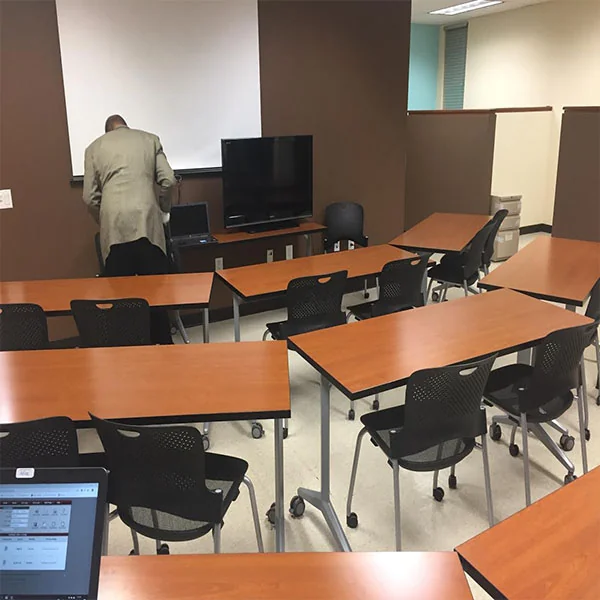
These two photographs show Gateway’s actual training space across different use cases. They do not represent six different rooms or layouts. Confirm the existing setup, capacity, and equipment connections for your session.
Ready to learn.
Comfortable from the start.
Help participants arrive, connect to your materials, and take a comfortable break. These everyday facilities support the training you bring to Gateway.
1-Gig fiber internet
Access teaching materials, share documents, and bring online resources into the session with Wi-Fi and fiber internet offering 1-Gig download and upload speeds. Confirm any wired connection or technical setup your activities require.
Free parking
Give participants and presenters a straightforward arrival with free parking at Gateway. Include the building address and confirmed entry instructions in your session information so the group knows where to meet.
A professional welcome
Bring your group into a professional business setting that gives the session a clear place and purpose. Our team can explain room access and arrival arrangements so you can focus on welcoming participants and leading the learning.
Shared conveniences
Shared refrigerators, microwaves, and water fountains support breaks during a longer session. Plan time for refreshments around your agenda, and discuss any food or catering arrangements with our team beforehand.
Accessible shared facilities
Shared restrooms and accessible building facilities support participant visits. Tell us about specific access needs and review the route to the training room before confirming your group’s arrangements.
Office Cleaning Service
A cared-for training environment helps your session begin on a professional note. Confirm preparation and cleanup responsibilities, and allow time to gather materials and leave the room ready within your reservation.
Confirm projector connections, whiteboard supplies, and any additional equipment before your session. Instruction, technical assistance, and catering are not automatically included. Copying and phone options are separate services; ask about charges.
Less guesswork.
More time to learn.
Build an example agenda, explore activity groups, and take a useful preparation brief into your conversation with Gateway.
Shape the learning
Allow for the whole visit
Count each person once. These input ranges are planning limits, not room capacities.
Employee onboarding
09:00–12:15 · same day
120 learning + 30 setup + 15 arrival + 15 breaks + 15 cleanup = 195 minutes
Your example agenda
Select a stage for preparation tips.
Set up & check
Use the agreed access time to set up your own materials and test your laptop with the projector. Confirm adapters, whiteboard supplies, and any extra equipment beforehand; early entry or technical assistance is not assumed.
The break is placed after the explanation as an example. Redistribute breaks and activities to suit your group while keeping the full access time. Rounded learning minutes always add up to your target.
Complete your session details.
Enter valid participant, presenter, and start-time values to see the updated agenda and activity groups.
Try an activity grouping.
12 participants → 3 groups of 4.
Groups are balanced as evenly as possible, up to your selected maximum. This illustrates an activity, not seats, tables, room layout, or separate breakout areas.
Prepare for the way you teach
Choose the activities you plan to include. Your brief will keep the relevant checks together.
Your preparation checklist
Present & demonstrate
- Bring your laptop, charger, and presentation files; confirm projector connections and any adapters.
- Confirm whiteboard supplies and sightlines for your group.
- Test your presentation during the agreed setup time. Extra audio equipment and technical support need separate discussion.
Learn on devices
- Ask participants to bring the devices, chargers, and software they need; check logins and permissions beforehand.
- Discuss power access and any wired or specialist connection requirements with Gateway.
- Prepare sample files and an alternative activity for connection or sign-in problems. Devices and software licenses are not automatically included.
Practice together
- Bring your own handouts, activity instructions, and agreed materials; ask about separate copying charges if needed.
- Confirm that the existing seating and surfaces suit your exercises. Furniture changes and breakout rooms are not assumed.
- Plan how to capture questions and actions, and pack away all materials within your access window.
No optional topics selected. Keep the core planning checks below in your brief.
For every session: define the learning goal, bring your own instructor and content, confirm accessibility and participant arrival instructions, and agree the room, date, full access window, total charges, and booking terms.
Bring the idea.
Keep the details together.
Save your agenda, headcount, activity groups, and preparation checklist. Discuss the plan with Gateway, then check booking options once the room and arrangements are confirmed.
Copying or downloading keeps the brief on your device. Nothing is sent to Gateway, and no room is reserved.
A planning guide, not a quote, capacity recommendation, availability check, or reservation. Instruction, materials, technical support, catering, and additional equipment are not automatically included. Confirm suitability, access, and all terms with Gateway.
Bring your learning session to Ontario, California.
One clear destination for your whole group.
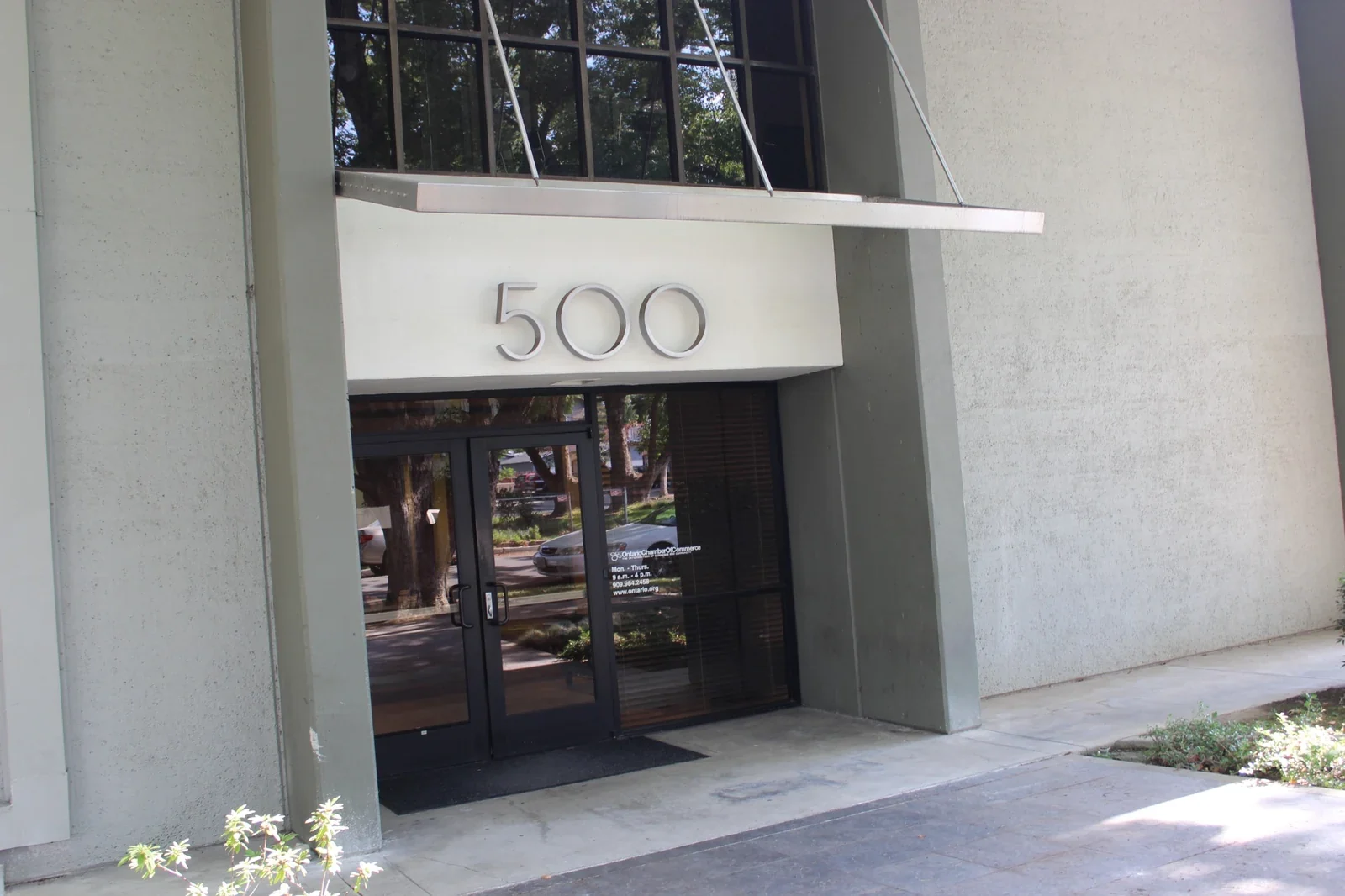
Gateway Executive Suites is at 500 East E St, Ontario, CA 91764, near Downtown Ontario. Free parking is available for participants and presenters. Confirm the room, entry instructions, and any accessibility needs before sharing arrival details.
Gateway Executive Suites500 East E St
Ontario, CA 91764
Plan from the first equipment check to the final cleanup.
Count participants, presenters, and helpers together. Review capacity, existing seating, sightlines, projector connections, whiteboard supplies, and the full access window with Gateway. Bring your own instructor, content, and agreed materials.
After confirming suitability, use the “Event Space” category in Satellite Deskworks to review the date, duration, total charges, and terms. Evening or weekend sessions need agreed access arrangements; technical assistance and additional equipment are not automatically included.
Your questions.
Answered.
Find practical answers about group size, equipment, timing, arrival, and reservations so you can plan your session with clear expectations.
How many participants can attend, and what is the setup?
Share your total participant count, including presenters, and the format of your session. Our team will confirm the available room capacity and existing setup. Discuss any particular seating, equipment, or accessibility needs before reserving; do not assume that furniture can be rearranged.
What is available with the Training Room?
The Training Room has a projector and whiteboard, plus Wi-Fi and 1-Gig download and upload fiber internet. Free parking and shared restrooms, refrigerators, microwaves, and water fountains are available. Office Cleaning Service supports the workplace. Confirm presentation connections, supplies, and any optional services for your particular booking.
What should I bring or arrange in advance?
Bring your laptop, charger, presentation files, and learning materials. Confirm compatible projector connections, any adapters or whiteboard supplies, and audio or other equipment needs before the session. Instruction, technical assistance, catering, and additional equipment are not automatically included. Ask about copying and phone options separately, including any charges.
How much time should I reserve?
Allow for agreed preparation and equipment checks, participant arrival, the training itself, breaks, and cleanup within your reservation. Review the duration options in Deskworks and confirm the full access window with our team. Early entry or an extension requires advance confirmation and may depend on availability and additional charges.
Can I arrange an evening or weekend session?
Availability can be arranged seven days a week, subject to the room and time available. Confirm your date, start and end times, and entry instructions before completing the booking. Share arrival information with participants in advance. Evening or weekend access does not mean staff or technical support are present throughout your session.
Where can I check pricing and availability?
After confirming the room’s suitability, use Book now to open Satellite Deskworks in a new tab. Review the available date, start time, duration, total, and booking terms under the Event Space category. Confirm any additional-service charges with our team. If your preferred time is unavailable, call (909) 988-3478 to discuss options.
What if my plans change after booking?
Contact our team with your booking name, session date, and reservation reference, if available. Changes to participant numbers, activities, equipment, or timing may affect the room’s suitability and availability. Changes and cancellations follow the terms provided with your reservation; confirm revised arrangements before relying on them.
How does the workshop planner work?
Choose a sample session, learning duration, and balance of explanation, practice, and discussion. The planner divides the learning minutes and adds your selected setup, arrival, break, and cleanup allowances to show a full access window. It also adds participants and presenters and illustrates balanced activity groups up to your selected group size. These are planning examples, not room capacities, furniture layouts, recommended teaching ratios, or guaranteed learning outcomes. Copying or downloading the brief keeps it on your device; it does not send an inquiry or make a reservation. Confirm the room, capacity, setup, connections, access, rates, and terms with Gateway before booking through the Event Space category in Deskworks.
Which option should I select on the booking page?
Training Room and Event Space reservations use the same “Event Space” category in Deskworks. Confirm your intended use, group size, setup, and available time with our team before completing the reservation.
Bring your lesson.
Let’s plan the space.
Confirm your group size, session format, room setup, and equipment connections with our team. Then open Satellite Deskworks under Event Space to review the date, duration, total, and booking terms. Include agreed preparation and cleanup in your reservation, and confirm entry details before sending final instructions to participants.
Training Room
500 East E St, Ontario, CA 91764
Book nowOpens in a new tab under “Event Space” in Deskworks. Confirm your training room, capacity, setup, and access arrangements before reserving.Get directionsSave our contactA different plan?
Explore a different space.
 Bring ideas together
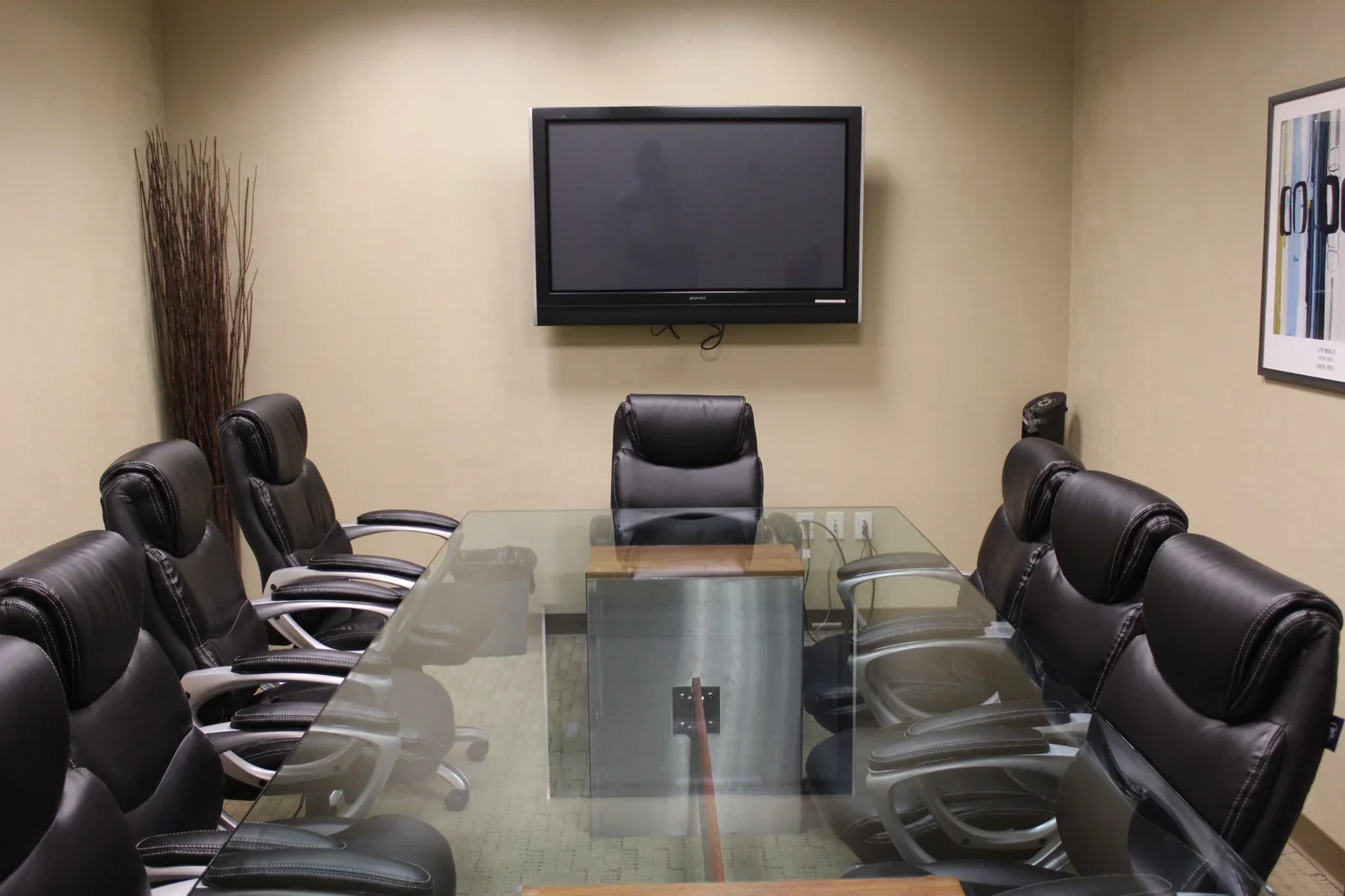
Conference Rooms
A professional setting for presentations and meaningful conversations. Our large conference room welcomes up to ten guests.
Explore the space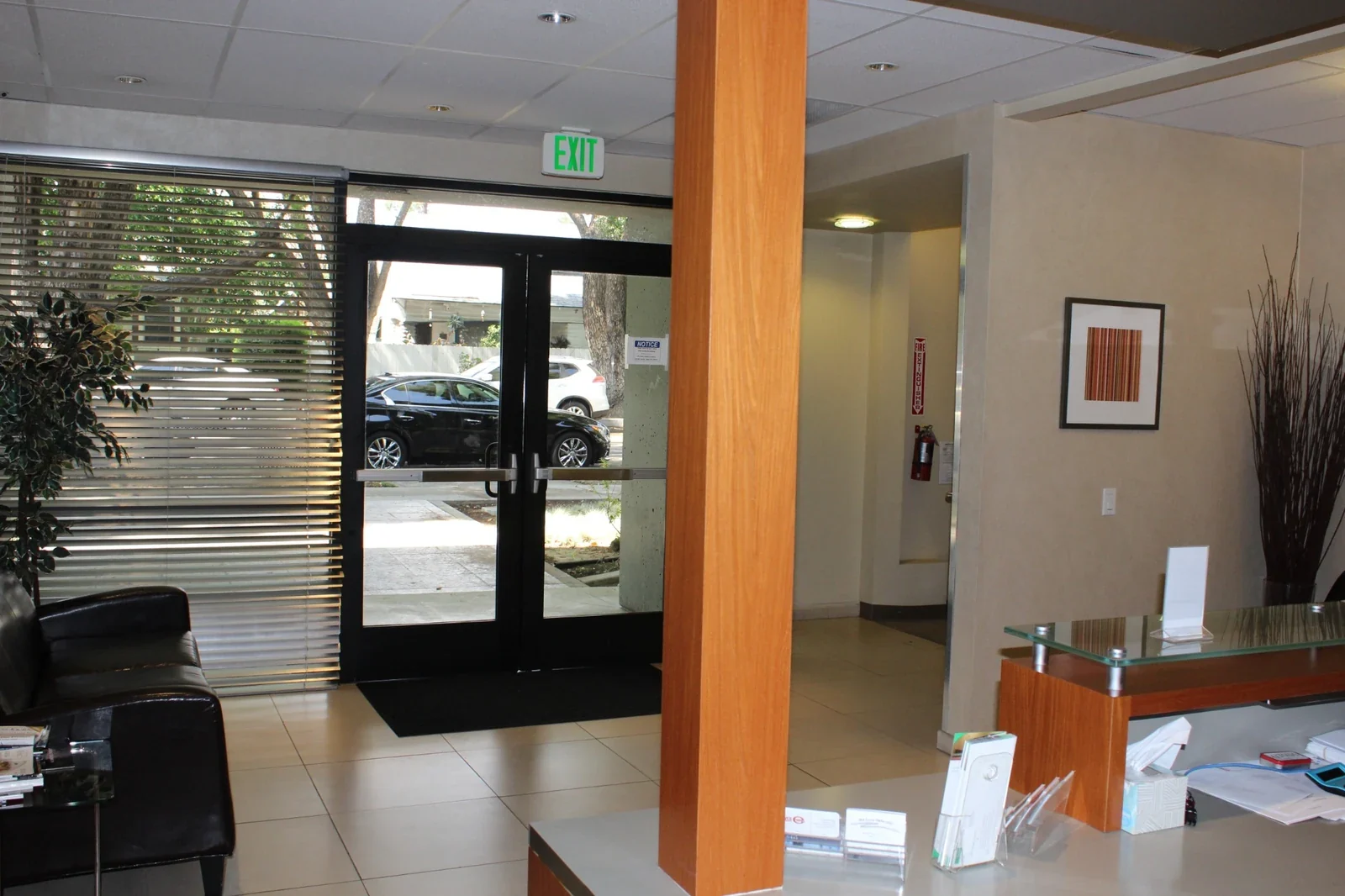 An occasion to connect
Event Space
Bring your business gathering, networking event, or community program into a professional and welcoming setting.
Explore the space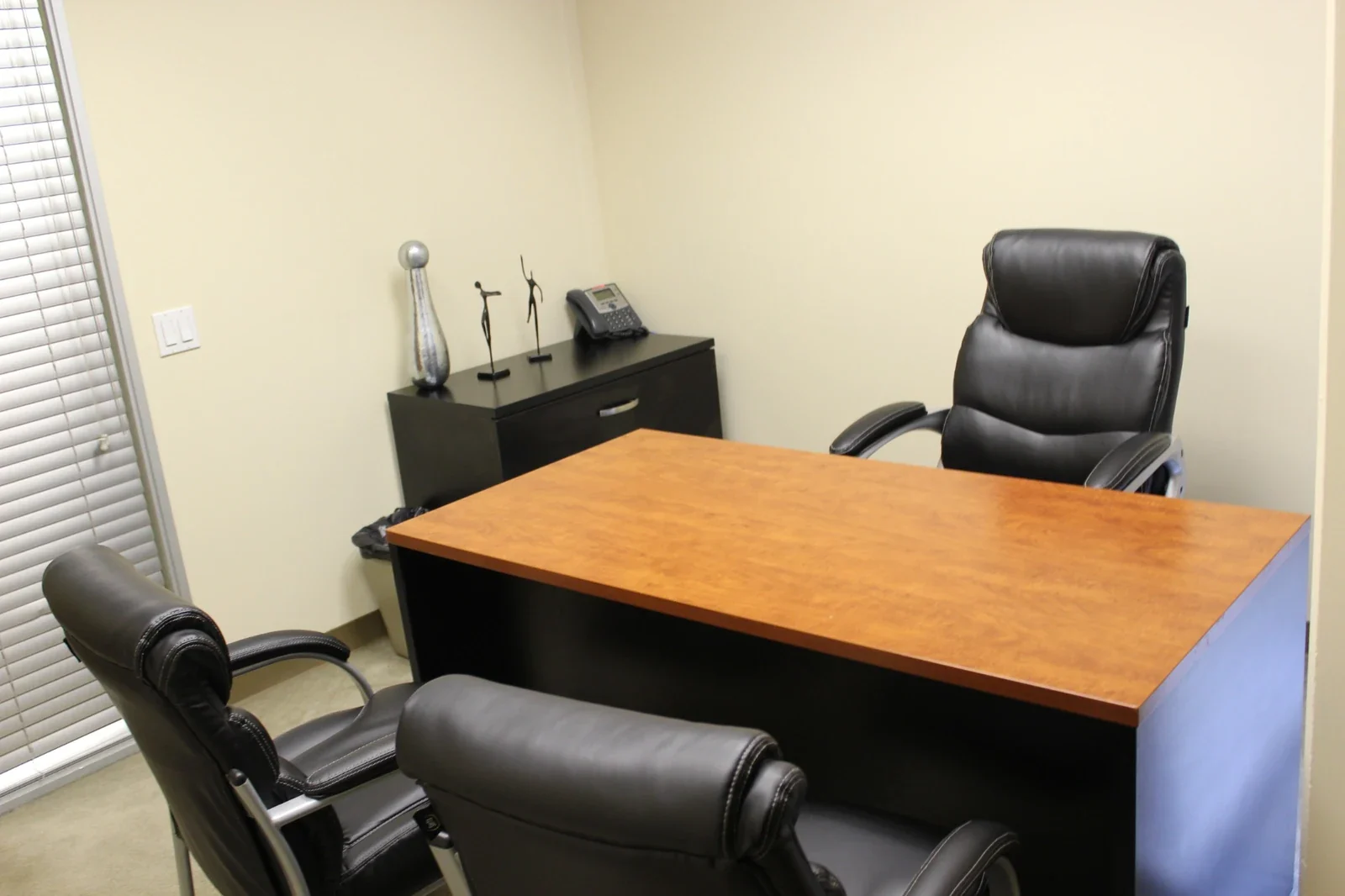 A full day of focus
Day Office
A furnished private office for up to three people. Settle in for focused work, client conversations, or a day between appointments.
Explore the space